

Every file on the page, in one panel
Nabbit finds the images, video, audio, documents, logos and favicons on any page and shows them in Chrome’s side panel. Download one, a selection, or everything as a ZIP.
Free · Works locally · No account
Go ahead, click it: tiles, tabs and ZIP work.
- 5 typesimages, video, audio, documents, brand
- < 0.5 sto scan a typical page
- 0 Bof your data sent anywhere
- EN · PLlight and dark theme
Finds what other downloaders miss
Five file types, each with its own color. Pick a type to see what Nabbit pulls out of a page.
Originals instead of thumbnails
Nabbit reads img, srcset and picture, CSS backgrounds, lazy-loading and inline SVG. When a page shows a thumbnail, it finds the full size: in links, galleries, WordPress, Shopify, Wikimedia and CDNs.
Where from
- <img>
- srcset
- <picture>
- CSS background
- lazy-load
- inline SVG
Even what the player loads
Files from video and source tags, and with optional network capture also the ones a player fetches by script. Watch them in the preview before you download.
Where from
- <video>
- <source>
- network capture
- og:video
Listen right in the panel
MP3, OGG, WAV, M4A and more, with a player and progress bar on the card. No new tabs.
Where from
- <audio>
- <source>
- file links
- network capture
PDFs, spreadsheets and archives
PDFs with page count, Word, Excel, PowerPoint, OpenDocument, CSV, EPUB and archives. File names come from the link text, not a random URL.
Where from
- links
- <embed>
- <object>
- <iframe>
Logos with a confidence score
Nabbit scores which file is the site’s real logo and shows why. Plus every favicon in every size, with ICO files split into separate PNGs.
Where from
- <link rel=icon>
- apple-touch-icon
- manifest.json
- og:image
- SVG
Everything you need, in one panel
From a single click to an archive of a hundred files. No accounts, no waiting for a server.
Deep Scan
Scrolls the whole page for you and loads infinite scroll and lazy images.
A tidy ZIP
Folders by type and a manifest.csv of sources. Large archives stream straight to disk.
Pick a region
Point at a gallery or section and see only its files.
Convert on download
WEBP, AVIF, GIF and ICO to PNG or JPG, SVG to PNG at 1×, 2× or 4×.
Command palette
Everything from the keyboard: ⌘K / Ctrl+K and single-key shortcuts.
Private by design
Everything happens on your computer. No servers, accounts, analytics or ads.
- No accounts
- No analytics
- No ads
- Permissions only on demand
Right-click
On any image: download it in the best quality available.
Light or dark
The panel follows your system. See how this page looks in the other theme.
A site’s whole brand in one place
Logo with a confidence score, favicons, colors with roles, fonts with their source and the share image. Perfect for a brief, a deck or working with AI.
- Colors in HEX, RGB and OKLCH
- Fonts with weights and a link to the source
- Export to ZIP with brand.json and BRAND.md
Pro Colors, fonts and export are part of Nabbit Pro, free for everyone right now. See Nabbit Pro
Click a color to copy it. Switch the format above the palette.
This is Nabbit in Chrome
No mockups: these screens come straight from the extension.
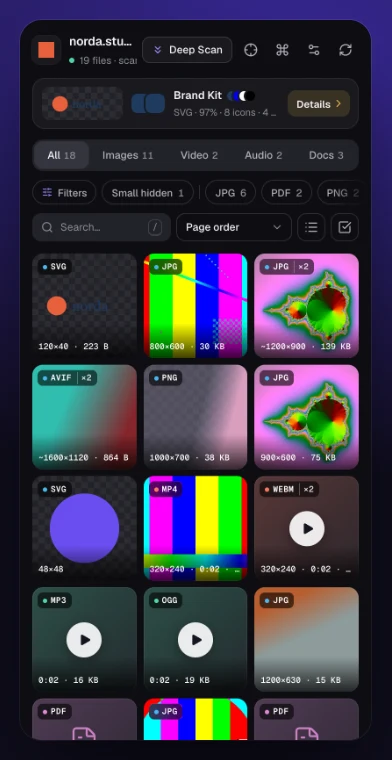
File grid with format and size 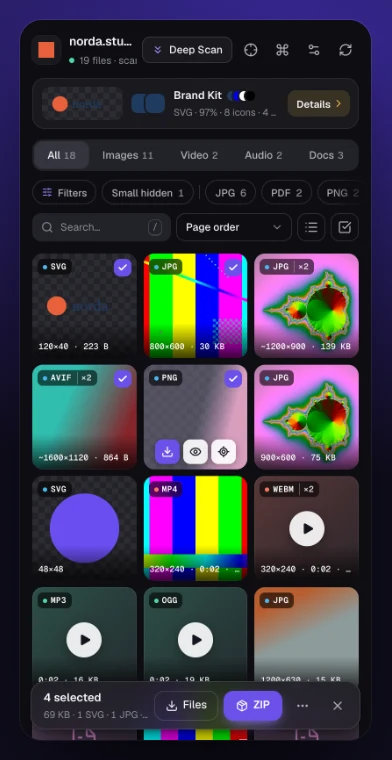
Selection and ZIP 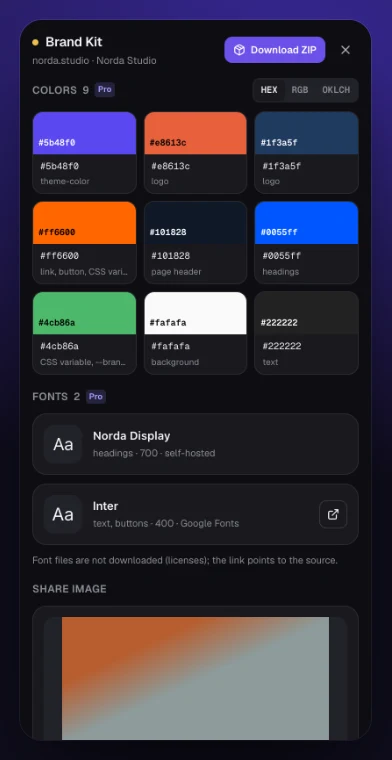
Brand Kit 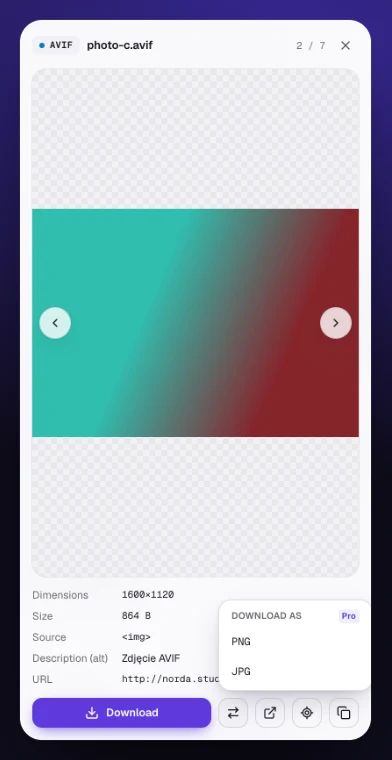
Preview and convert 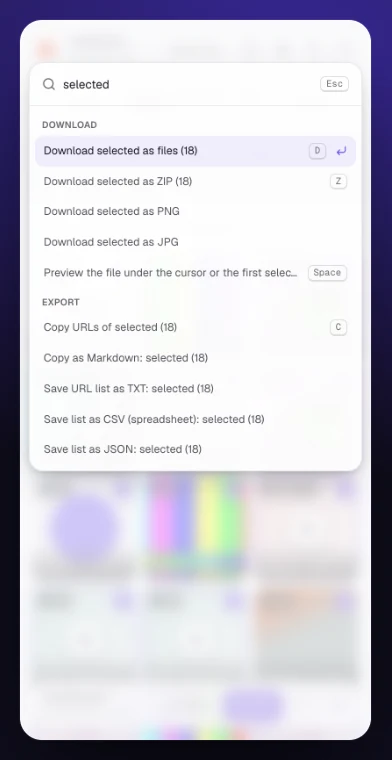
Command palette, light theme

Try Nabbit on the next page you open
Free, in English and Polish, light and dark theme.
Add to ChromeNabbit does not download YouTube videos or DRM-protected content. Only download what you have the right to.